
GPUs on qBraid: Early Access and the GPU4Quantum Challenge
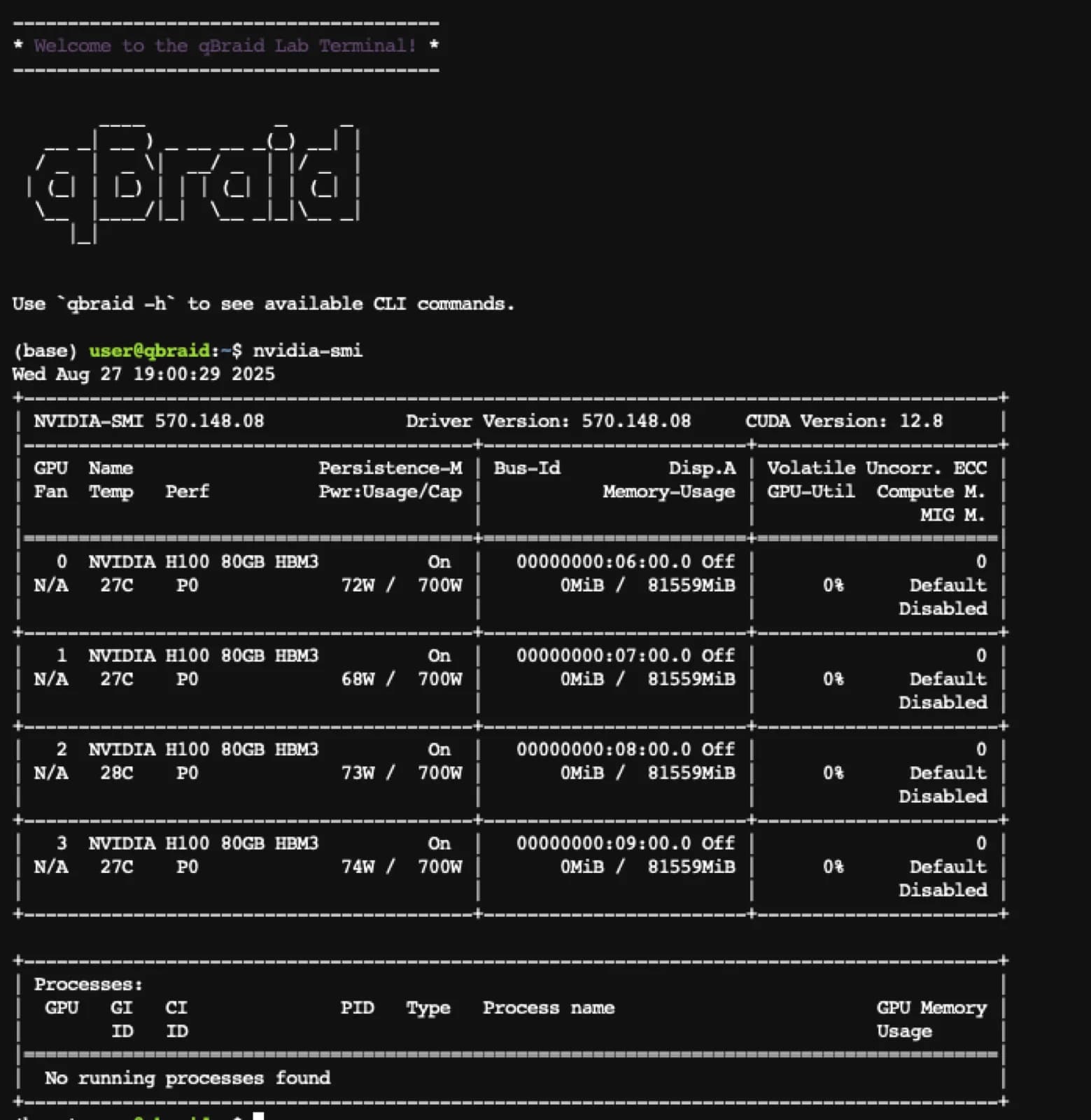
You can supercharge your workflows by running GPU-accelerated jobs directly in qBraid Lab. Whether you’re training quantum-inspired models, simulating larger circuits, or experimenting with hybrid AI + quantum approaches, GPUs unlock a whole new level of performance.
✨ Check out our step-by-step guide to launching GPU instances on Lab, or skip to the video!
🏆 Sign up for the qBraid 2025 GPU4Quantum Challenge to get early access, test creative use cases, and compete for prizes and credits.
This is your chance to be among the first to explore what’s possible when quantum meets GPU power.
How to launch GPUs on qBraid Lab
- 🔑 Sign in to your qBraid account at account.qbraid.com.
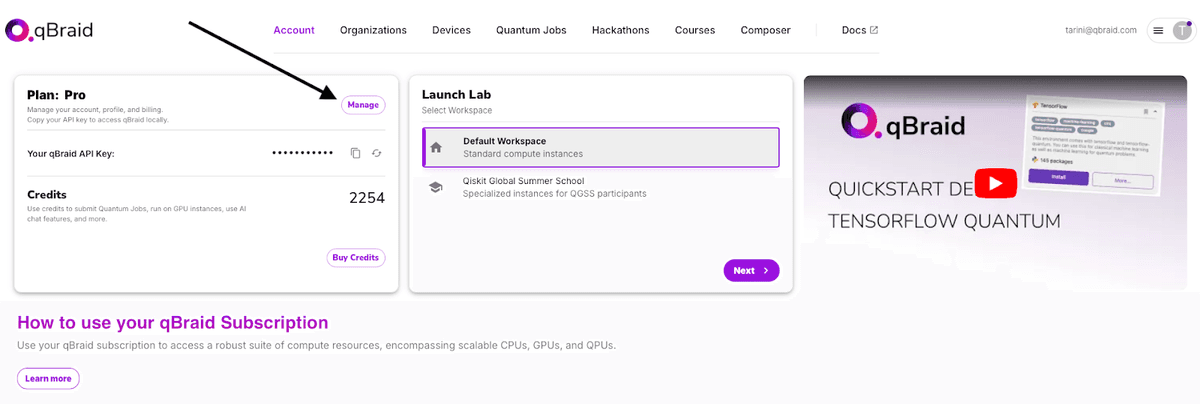
- 🛠️ Click “Manage” in the top-left panel and enter your GPU access code.
💡 Don’t have an access code yet? Sign up for the GPU4Quantum Challenge to get early access.
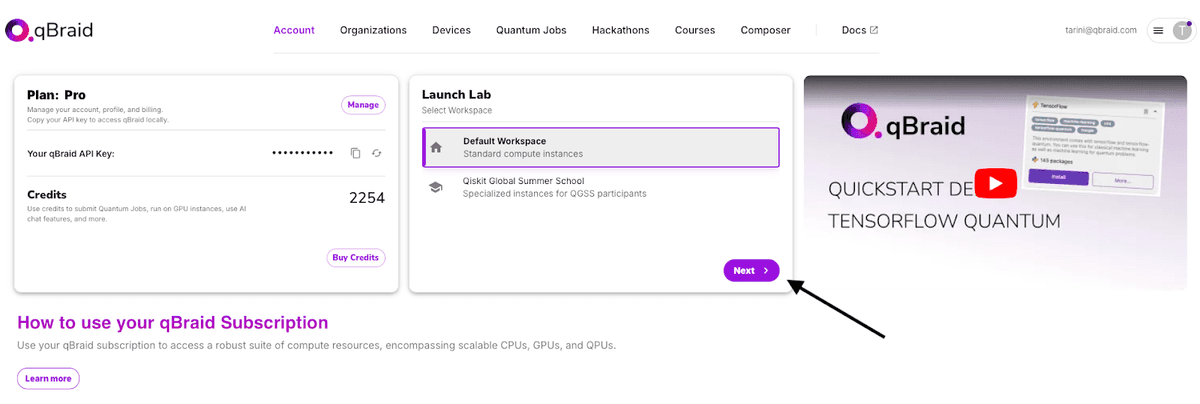
- 📂 On the Account page, select the “Default Workspace” and click Next.
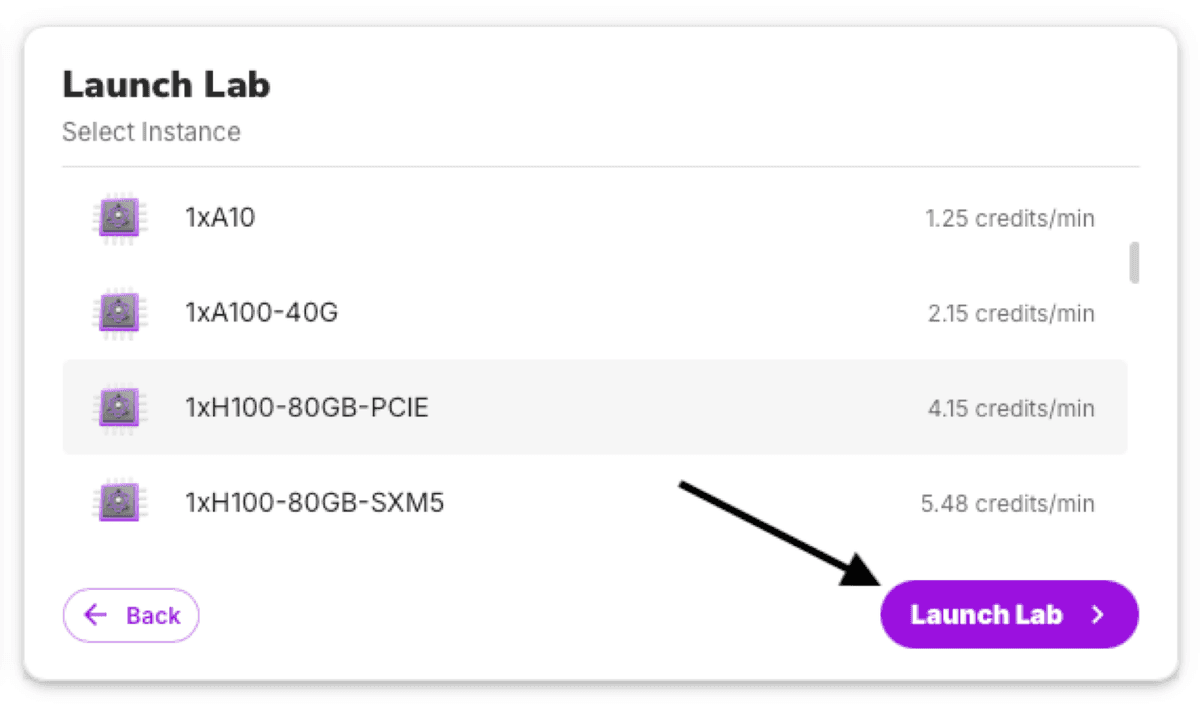
- 🎛️ Browse the list of available GPU instances (with credit costs).
- ▶️ Click “Launch Lab” on your chosen GPU instance — it’ll be ready in just a few minutes!
6. Don’t forget to stop the instance by returning to account.qbraid.com and clicking on the “Stop” button.
At the end of the early access, we’ll ask for your feedback — and in the meantime, feel free to reach out anytime at contact@qbraid.com if you run into issues or have suggestions.
🚀 Features
- Wide GPU access: V100, A100, H100, GH200, and B200 class GPUs, available in various configurations. Billing is in credits/minute with rates shown in your account launcher.
- Preconfigured Python environment: Activate the default environment by running qbraid envs activate default in a terminal or simply open a notebook and make sure the 'default' kernel is selected. This environment includes GPU-optimized versions of
- qiskit / qiskit-aer
- cudaq
- pennylane / pennylane-lightning
- PyTorch
- TensorFlow
- JAX
- Cluster scaling: Scale up to 1536× B200 GPUs or 512× H100 GPUs. Contact us at contact@qbraid.com to enable large-scale clusters.
⚠️ Rough Spots (for now)
- Different filesystem: GPU sessions use a separate filesystem from standard qBraid instances, so your existing qBraid files won’t appear here. Files saved in GPU sessions _do persist_ and benefit from a higher-performance storage backend.
- Occasional NVIDIA setup issues: After starting a GPU, run nvidia-smi in a terminal session. If you see an error, restart the same instance. We’re actively working to resolve this.
- Environment Manager limitations: The pre-packaged environments from standard qBraid aren’t yet available here. You can still create and persist local environments, but they are not shareable (yet).
- Capacity constraints: GPUs are in high demand! Sometimes capacity may be temporarily unavailable. Refresh periodically and capacity should free up. We’re continuously adding more GPU resources to reduce this issue.
- Slow startups: GPUs may take up to 15 minutes to start. Feel free to grab a coffee and come back! Don’t worry, you will not be charged for the startup-time!